Agents
Start a coding agent on a comment and follow it on its card, or write the comment as a task file for an agent you run yourself.
4 tasks, 4 questions answered.
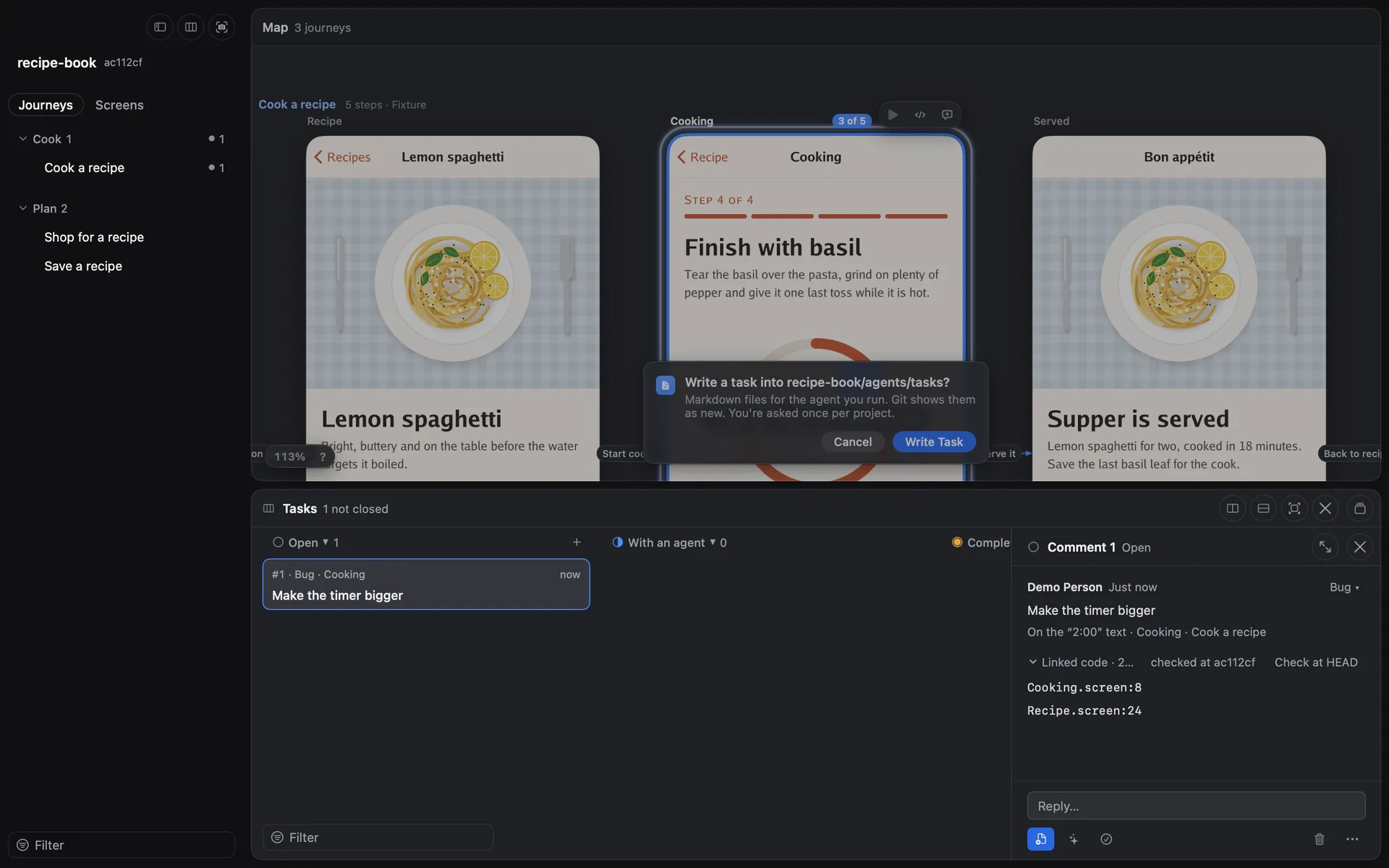
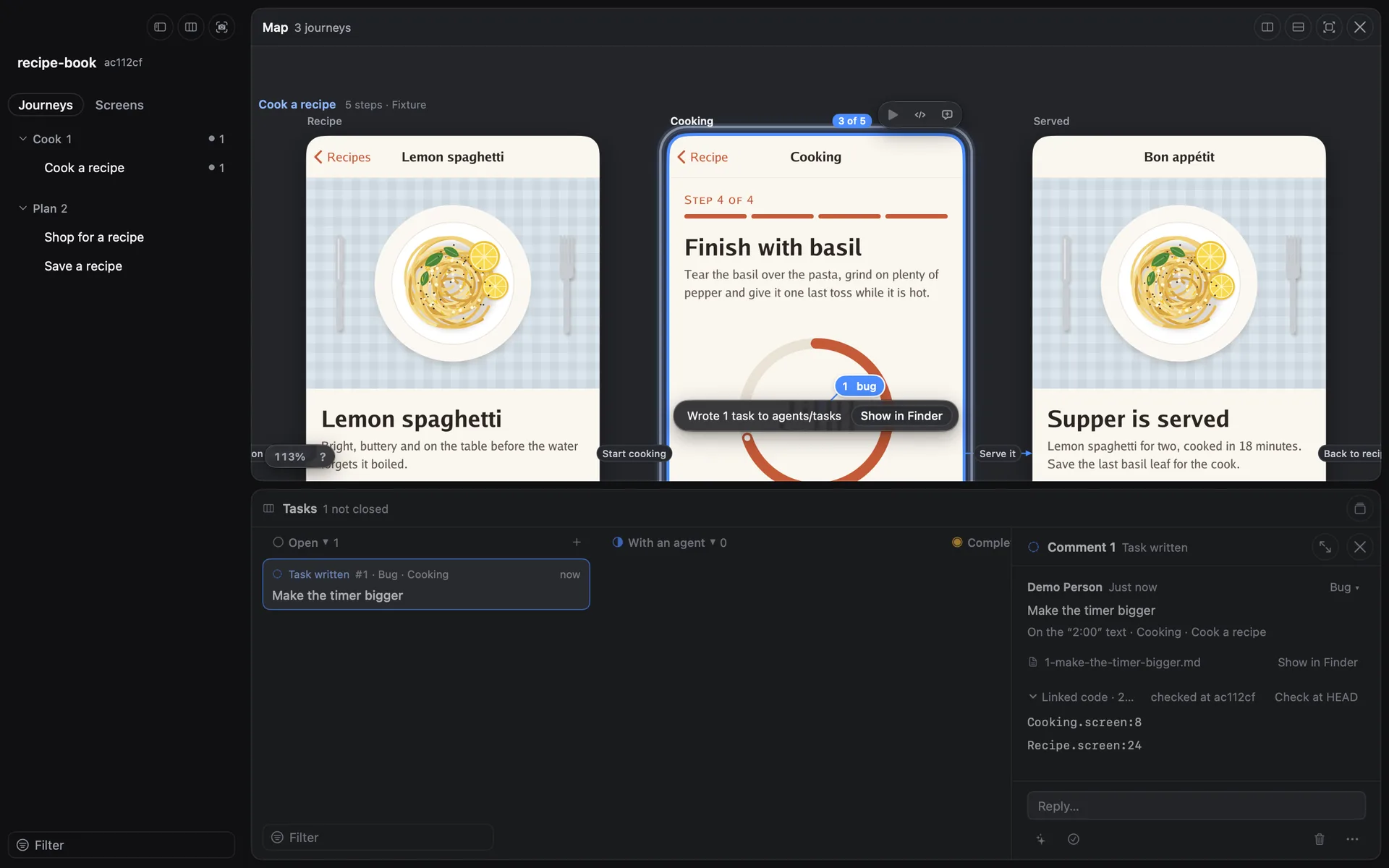
PitaFix starts the agent itself and the card follows it.
- Press Give To on a card, under a thread, or in the bar of the cards you chose.
- Pick the agent's name. The first time an agent starts in a project, PitaFix shows the exact command and asks once.
- Follow it on the card; Show Session opens the whole session beside the map.
- When the card is in Completed, read the agent's last words on the thread and Resolve it.
Wrong turn? Stop puts the card back in Open. PitaFix never commits an agent's work or deletes its worktree.
agent, give to, start an agent, claude, codex, ACP, hand off, assign, AI, session
An agent stops when it needs your permission or your answer.
- A card whose agent asks turns red. Open its session.
- A permission question shows the agent's own answers as buttons; press one.
- When it asks you something in the thread, reply there.
Wrong turn? The agent stopped instead? Press Retry on the card, or give the card to another agent.
permission, question, asks, blocked, red card, answer, retry, stopped, approve a command
Give To lists the agents in Zed's settings and those PitaFix installed itself, so Zed isn't needed.
- Choose Add Agent…, the last item of Give To and a button in Settings › Agents.
- Pick an agent from the ACP registry.
- Read what installing does: the command it will run, or the address it downloads, its checksum and the folder it is kept in.
- Press Install to agree.
Wrong turn? Settings › Agents says why an agent can't start, and gives the ones PitaFix installed a Remove button.
add agent, install agent, ACP registry, zed, agent_servers, npx, uvx, remove agent, update agent
For an agent you run yourself, in your own terminal.
- Press Write Task under a thread. The first write in a project asks once.
- For several, choose the cards and right-click one, or choose Map › Write Tasks for Open Comments (⇧⌘T).
- Hand the file in
agents/tasksto your agent. Show in Finder shows it. - When the agent sets
status: doneand adds a## Result, the result shows on the comment.
Wrong turn? Reopen on a comment whose task is done keeps that file as history and offers Write Task again.
task file, markdown, agents/tasks, write task, own agent, terminal, status done, result, handoff
How it works
Where does an agent work?
In a worktree of its own on a new branch, unless you say otherwise.
- Work In in Settings chooses between A Worktree and The Project Folder.
- PitaFix never deletes either, never commits and never makes a branch in your own checkout.
- After the task, the session offers to open the agent's folder in Zed.
worktree, branch, project folder, where does it work, commits, isolation
What runs after each task?
The passes set under After Each Task, by default one that cleans up.
- A pass is sent to the same session when the task's turn ends.
- The box under Cleanup holds the pass's words, and Reset to Default restores them.
cleanup, pass, after each task, prompt, follow-up, reset to default
What is in a task file?
The comment, its screen and the code it links to.
- The file is Markdown in
agents/tasksof the project's own folder, with the screen's picture, pin and areas drawn, inagents/tasks/images. - Photos on the comment go with it, and so does the comment's type.
- Git shows the files as untracked. PitaFix doesn't touch
.gitignore. - A task file starts nothing: PitaFix starts an agent only when you give it a card.
task file, contents, images, untracked, gitignore, what does the agent get
How does PitaFix check a downloaded agent?
Before every start.
- PitaFix checks a downloaded agent's program before every start and refuses one that changed.
- When the registry has a newer version, Settings › Agents offers an Update button.
checksum, verify, changed binary, update, security, supply chain