Your first capture
From an empty map to a comment handed to an agent, on the sample project or your own.
This page walks the whole loop once. Each step links to the page that covers it in full.
- PitaFix
Open the project
Choose Open Project… (⌘O) and select your repository. A project nothing has captured shows an empty map: No journeys yet.
Press Capture… in the middle of the map, or ⌘R.
1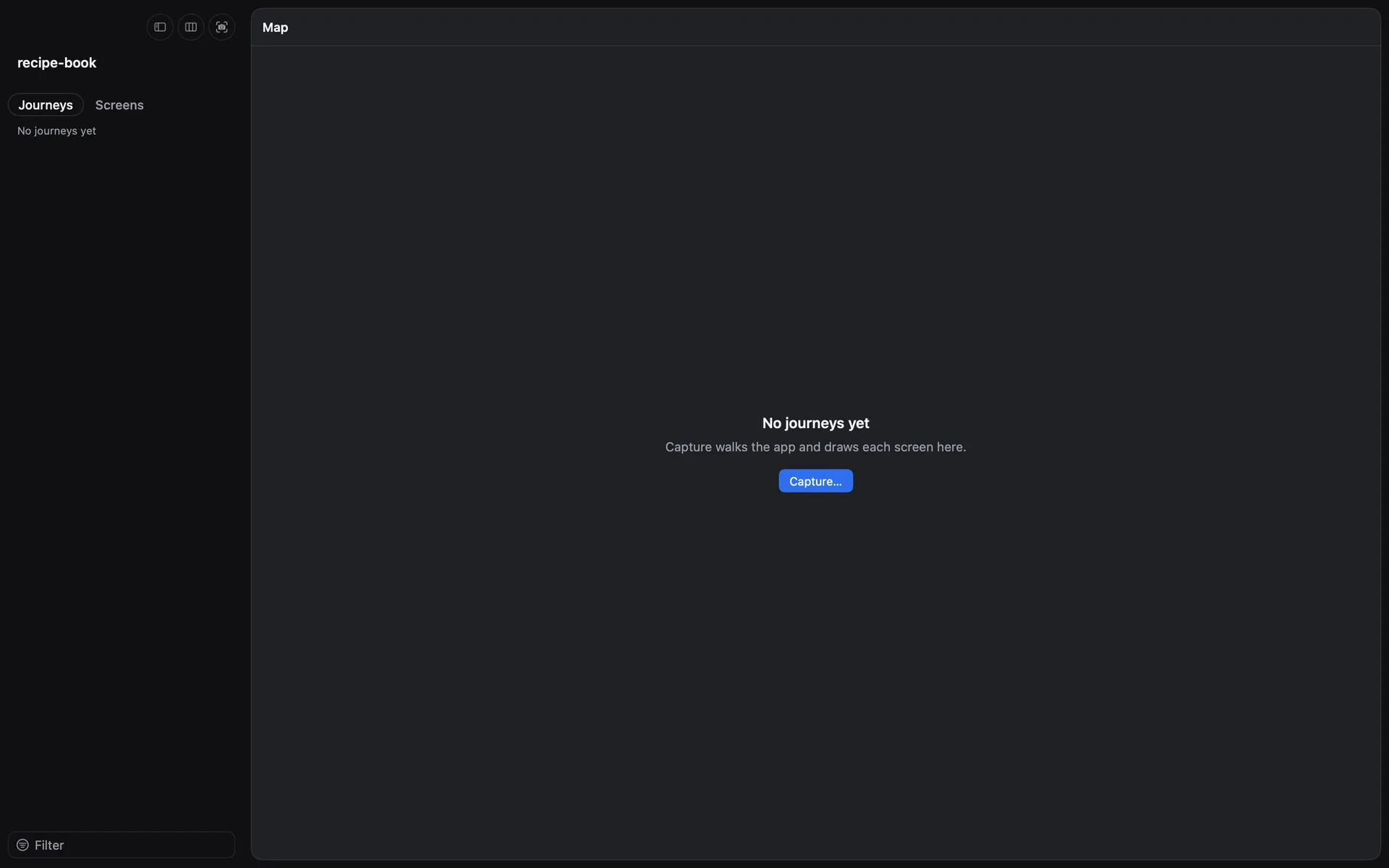
A project before its first capture - PitaFix
Read what will run, then trust it
The sheet names the commit and asks whether to run the project's code on this Mac. Open What runs to read the exact command, what the core declares, and the folders it uses.
The build runs in a copy in the cache. Your checkout isn't touched. Press Trust and Capture.
2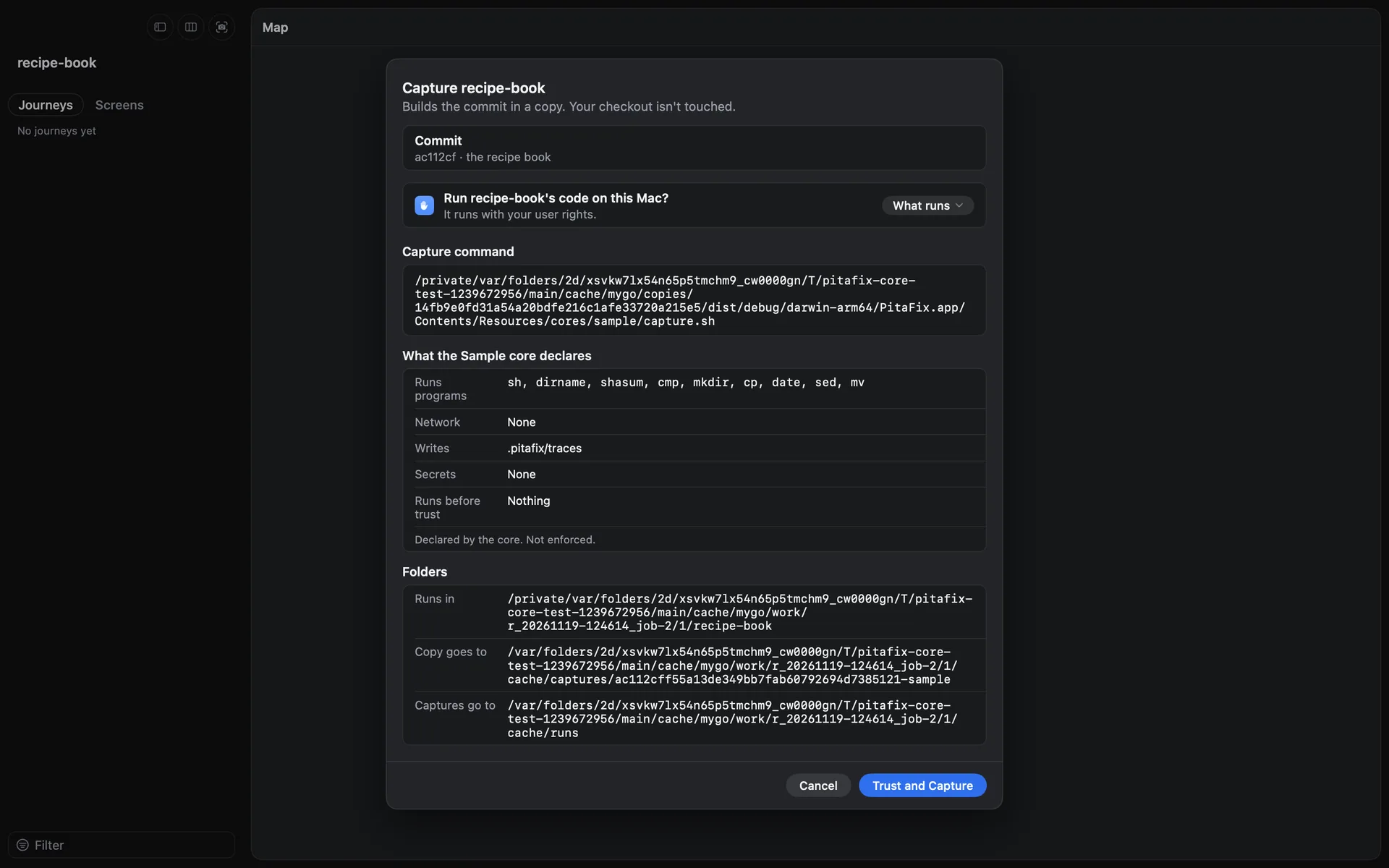
What a capture runs - PitaFix
Look at the map
Screens appear as the capture runs. Each journey is a row of screens, grouped in sections, with arrows named by what was tapped.
Click a journey in the sidebar to fly there. ← and → step along it, and ⇧1 fits everything.
3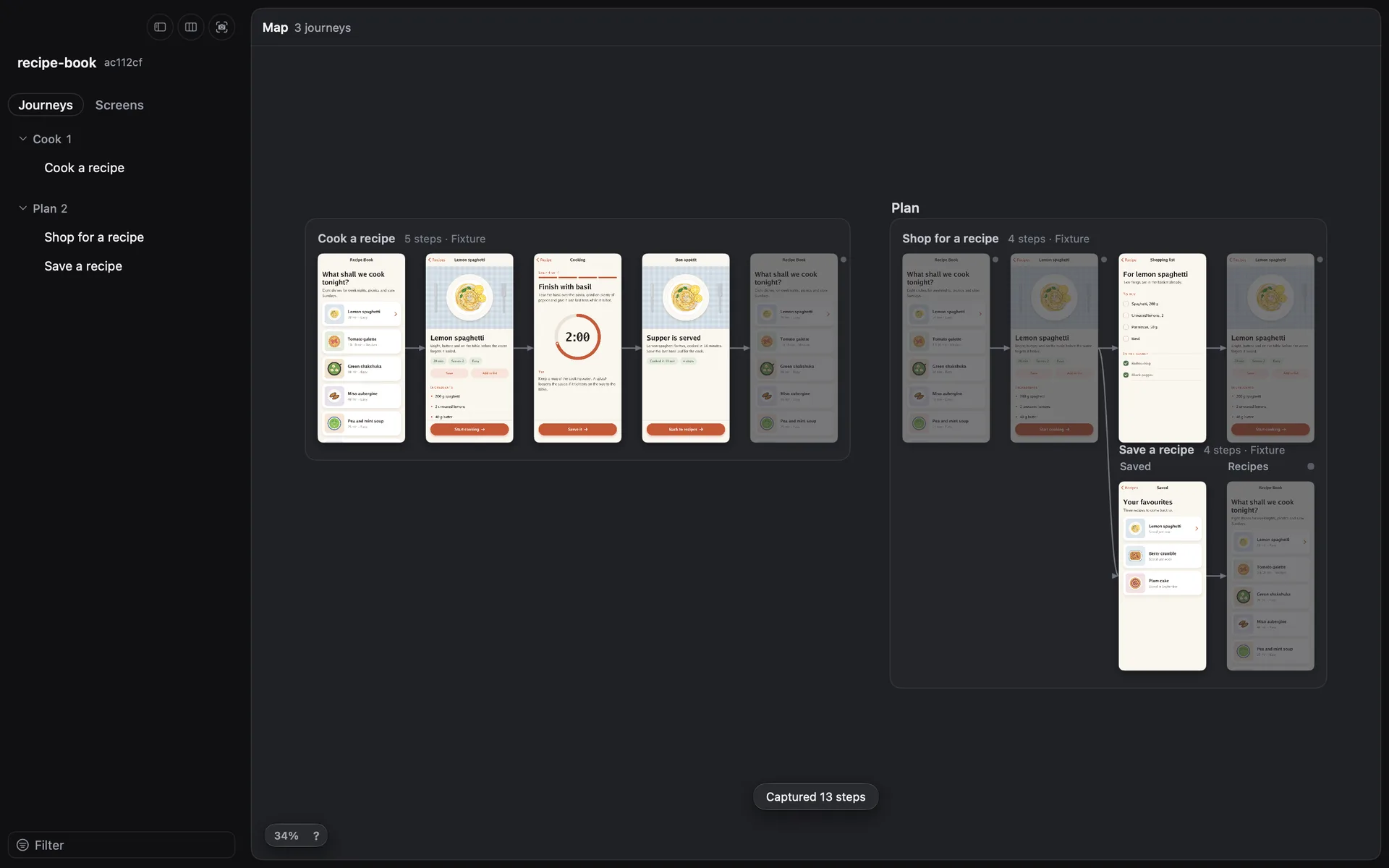
Three journeys of the recipe book - PitaFix
Read the code behind a screen
Select a screen and choose Show Code on its title line. The inspector names the action that led there and shows the code that step ran.
⌥-click a spot on a screen to open the line that drew it.
4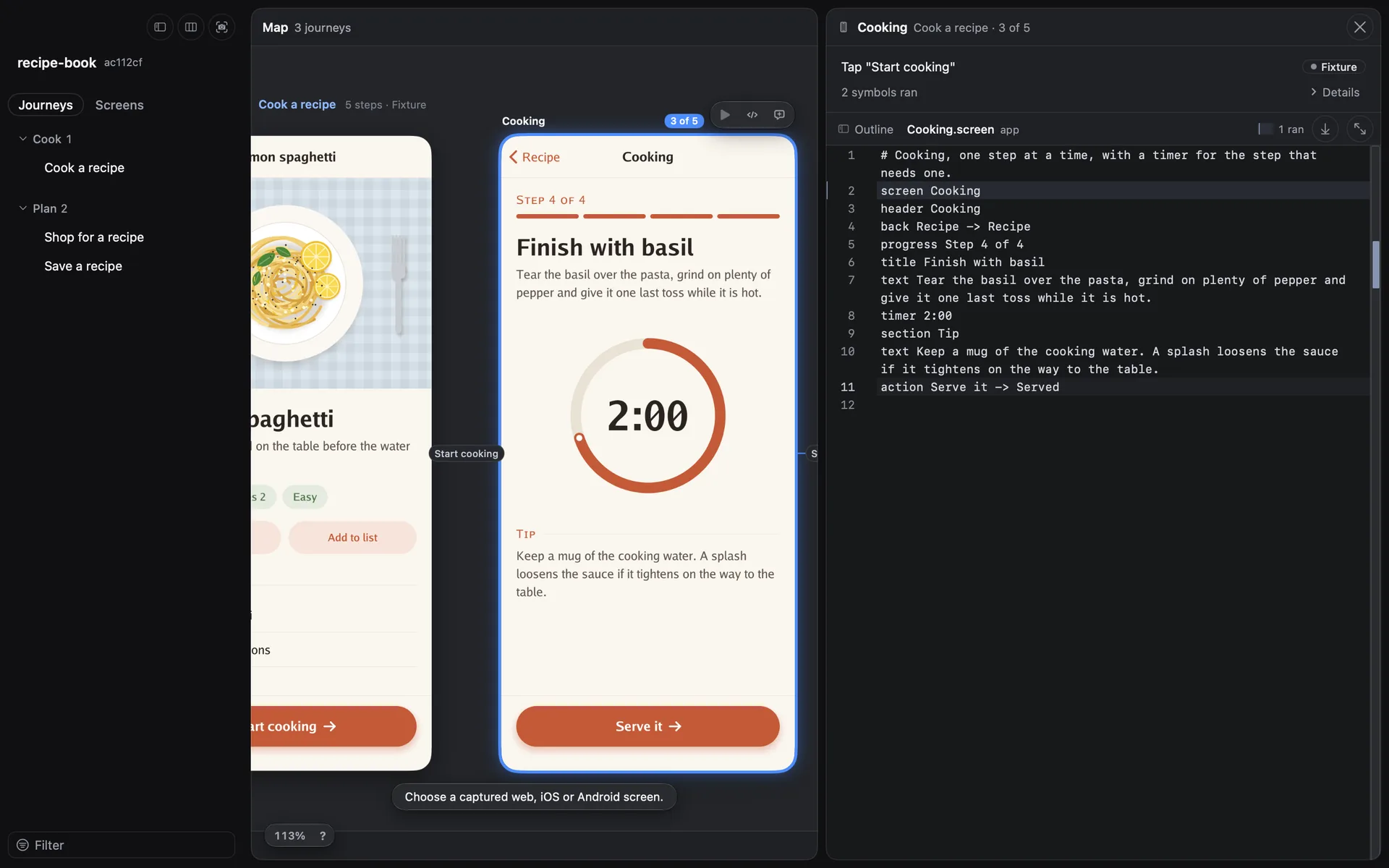
The code Tap “Start cooking” ran - PitaFix
Comment on what is wrong
Press C and click the spot. Write the comment, mark it Bug if it is one, and press ⌘↵ to add it.
PitaFix links the comment to the code under the pin and to the handlers of the step that led there.
5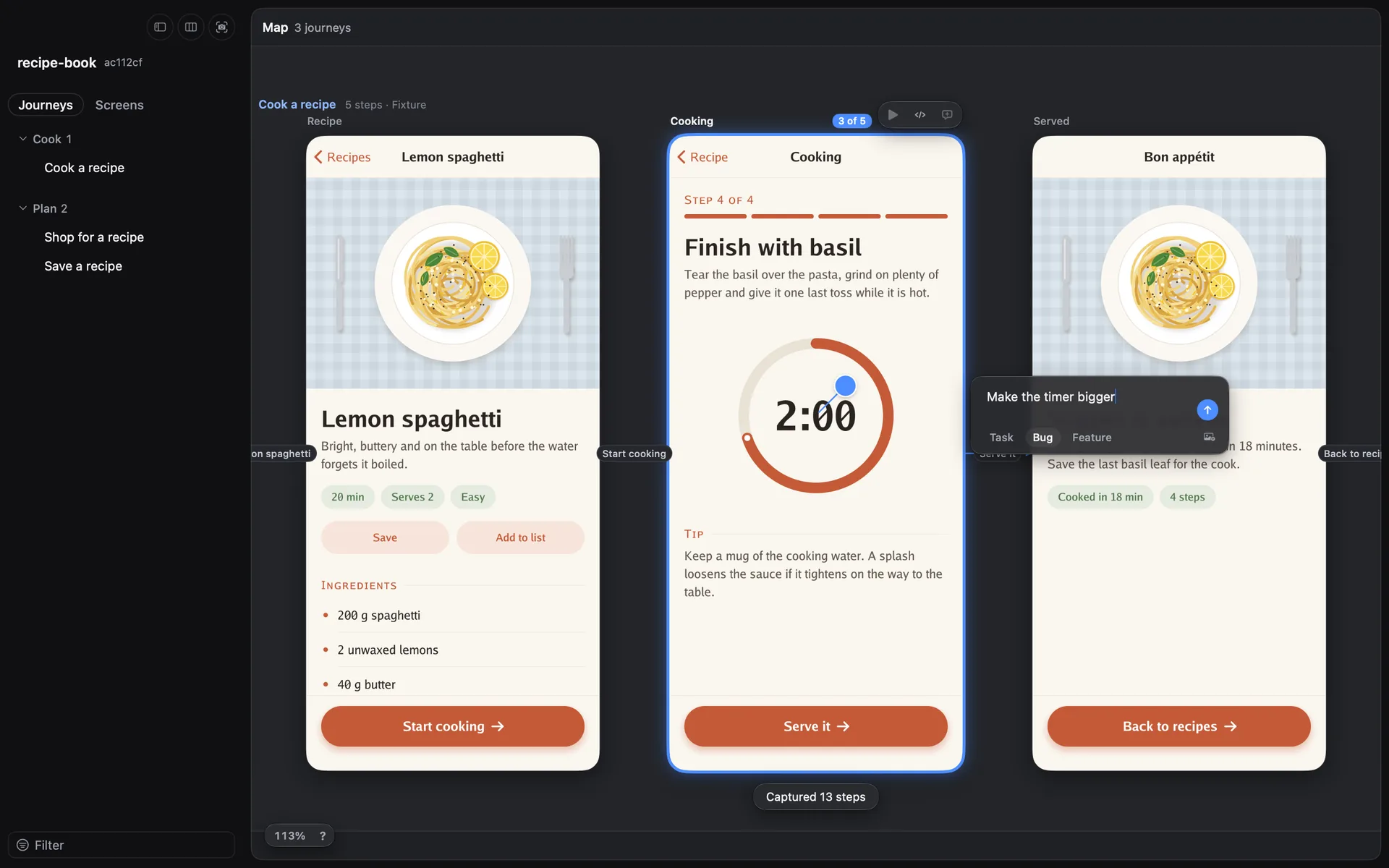
A comment pinned to the timer - Your agent
Hand it to your agent
Give To under the thread starts a coding agent on the comment. Write Task saves it as a Markdown file in the project's
agents/tasksfolder instead, for an agent you run yourself.The agent's result comes back into the thread. You decide when to Resolve it.
6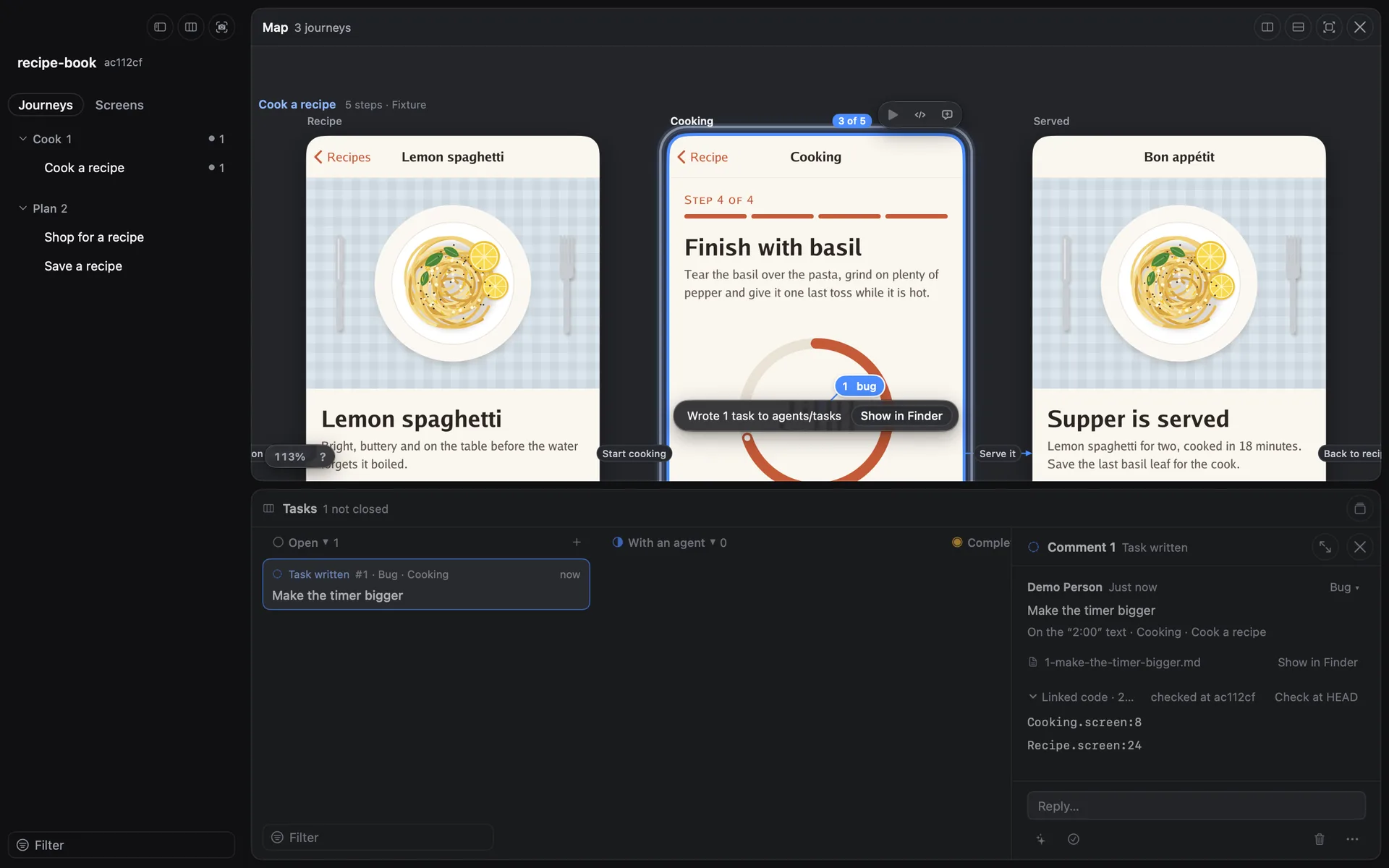
The task file is written
No project at hand?
The sample core's recipe book is the project in these pictures. It lives in the PitaFix repository under cores/sample/project: copy it out, make it a git repository with one commit, and open that folder.