Find your way
The window and its panes, Go to, the command palette, the keyboard shortcuts and Settings.
4 tasks, 2 questions answered.
Anything on the map is a few letters away.
- Press ⌘K for Go to… and type a name.
- Press ↩ to go there, or ⌥↩ for Open in New Pane.
- ⌘F finds a journey in the sidebar; ⌥⌘F filters the sidebar's list, or Tasks.
Wrong turn? Went to the wrong place? ⇧1 fits the whole map again.
search, find, jump, go to, cmd k, quick open, filter, find a screen, find a journey
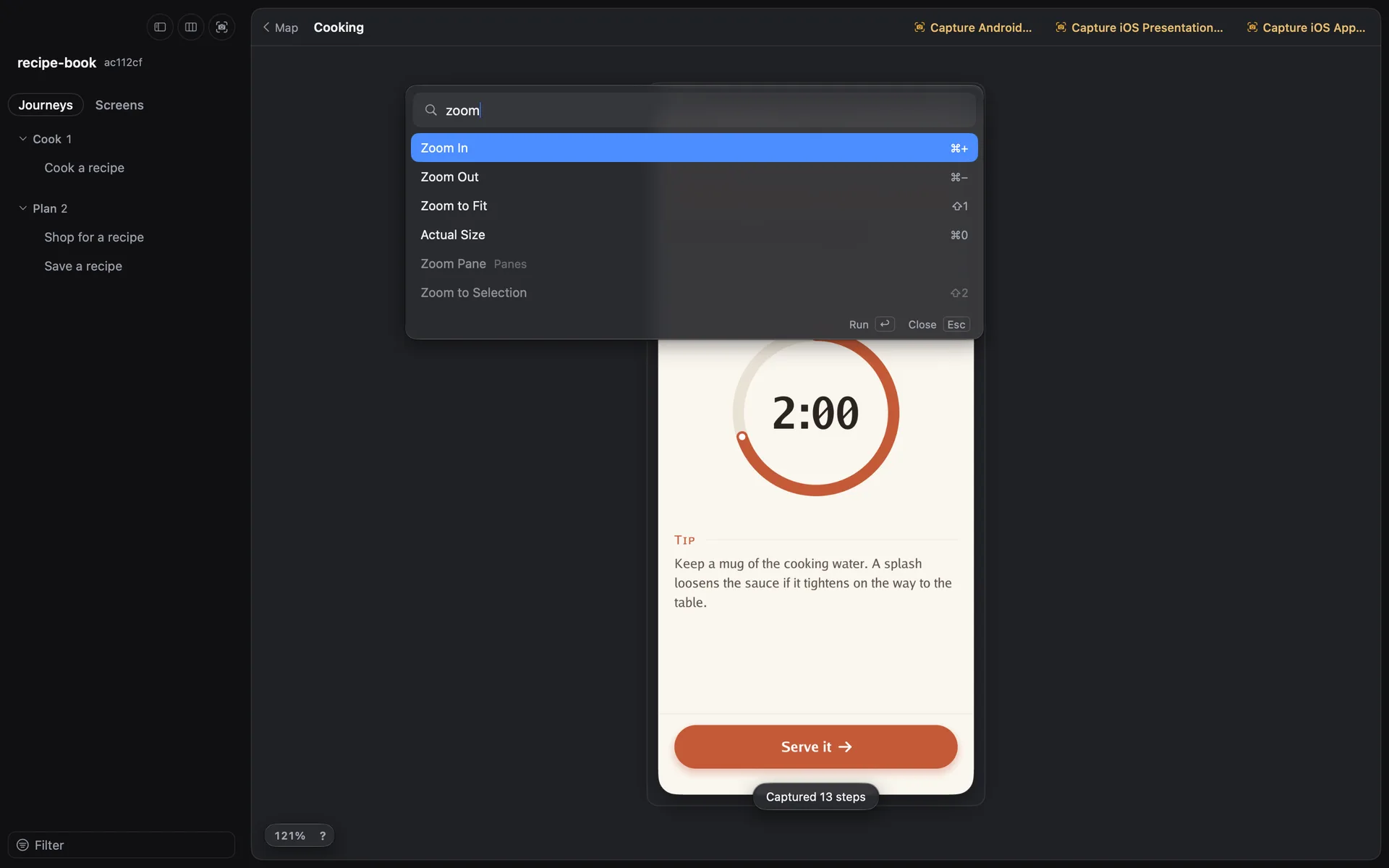
Every menu command can be run by name.
- Press ⇧⌘P for Command Palette….
- Type part of the command, such as zoom.
- Press ↩ to run the chosen one; its key is shown beside it for next time.
Wrong turn? Esc closes the palette and runs nothing.
command palette, commands, actions, shortcuts, cmd shift p, menu, run a command
The map is one pane among several; any of them can step aside.
- ⌘\ gives the map the whole window, and brings the panels back. It is View › Panes › Map Only.
- ⌃⌘S shows or hides the sidebar.
- Drag the gap between two panes to resize them; a double click resets it.
- A pane's header has Split Across, Split Down, Zoom Pane and Close Pane.
Wrong turn? Lost the panels? ⌘\ brings them back.
hide sidebar, full screen, panes, panels, split, resize, layout, zoom pane, map only
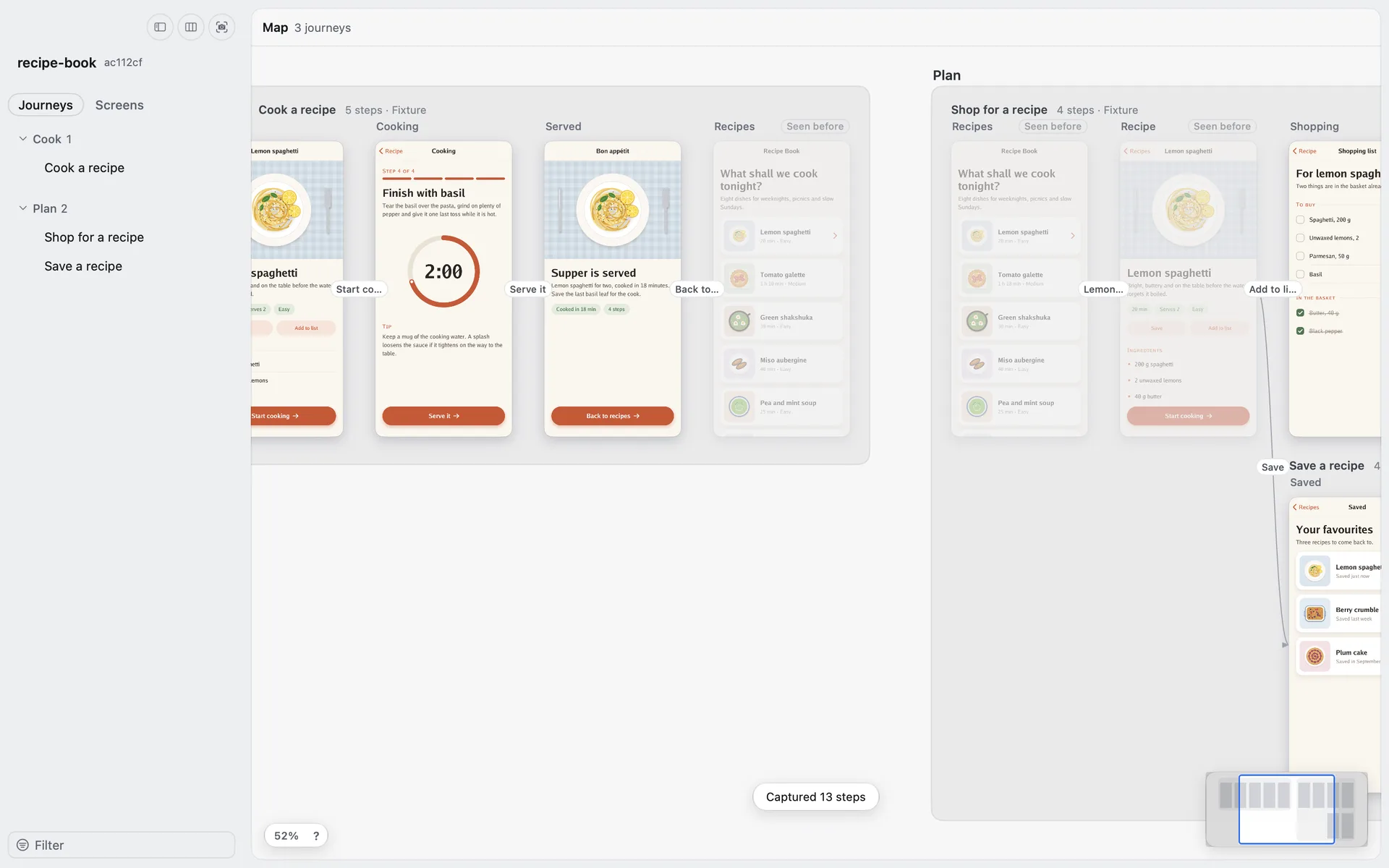
The window follows the system's light or dark look unless you say otherwise.
- Choose PitaFix › Settings… (⌘,).
- Under Appearance, choose System, Light or Dark.
- Under Minimap, choose Auto, On or Off for the map's overview in its corner.
Wrong turn? Each choice applies at once; choose the other one to go back.
dark mode, light mode, theme, appearance, minimap, overview, settings, preferences
How it works
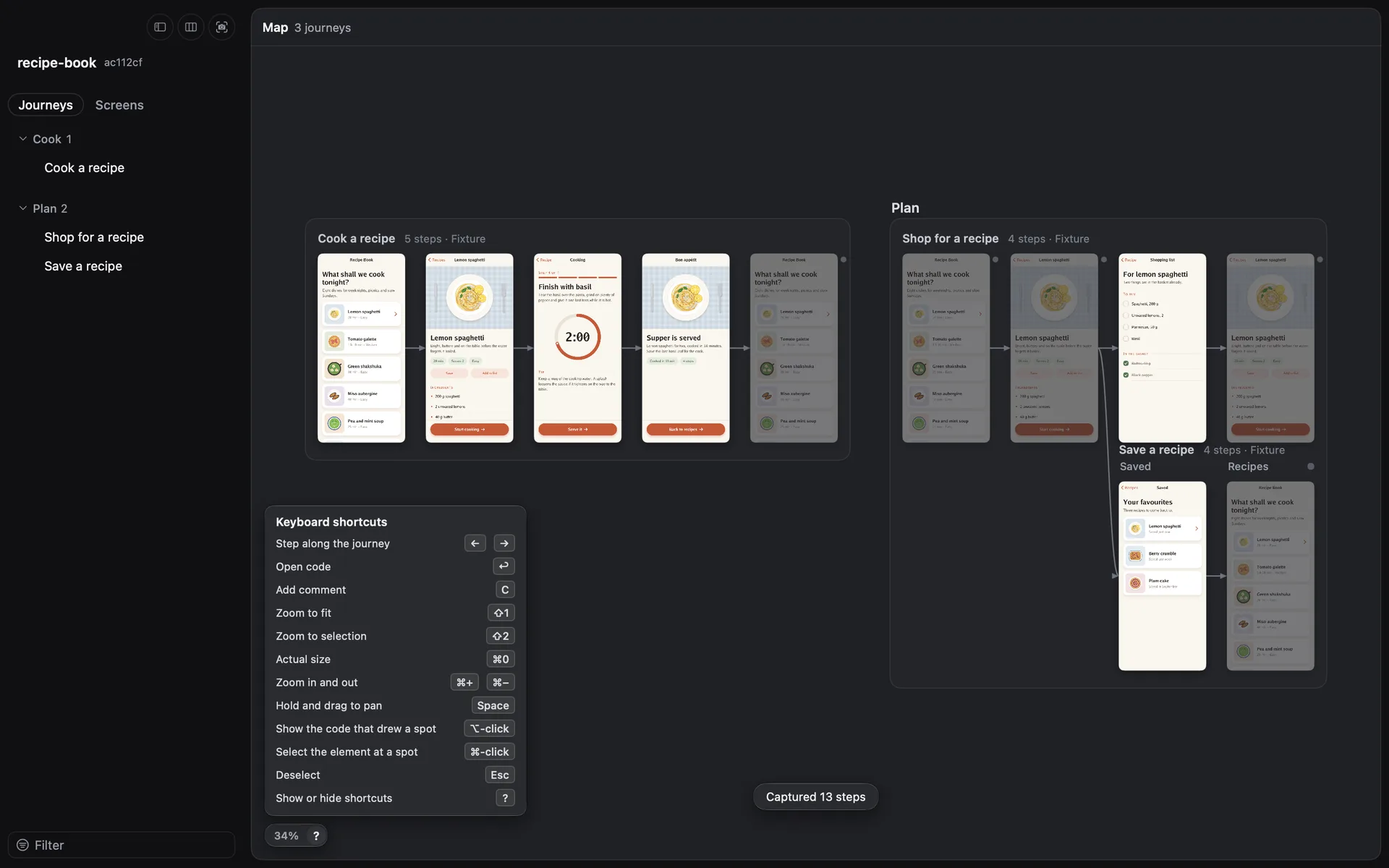
Which keys does the map take?
The ones in the map's own list, which ? shows.
- ← → step along the journey. ↩ opens the code. C adds a comment.
- ⇧1 zooms to fit, ⇧2 to the selection, ⌘0 to actual size. ⌘+ and ⌘− zoom in and out.
- Hold Space and drag to pan. Esc deselects.
- ⌥-click shows the code that drew a spot. ⌘-click selects the element at a spot.
shortcuts, hotkeys, keyboard, keys, zoom, pan, arrows, cheat sheet
Which keys does the window take?
The ones for projects, captures and panes.
- ⌘O opens a project. ⌘R captures. ⇧⌘R walks by hand.
- ⇧⌘T writes tasks for the open comments.
- ⌃⌘F enters or leaves full screen. ⌘[ goes back to the project you came from.
- Help › PitaFix Help lists them all beside the five things PitaFix does.
shortcuts, window, help, full screen, capture key, open key