The map
Journeys and screens, what each arrow and label says, clicking through a journey, and deleting what an old capture left.
3 tasks, 3 questions answered.
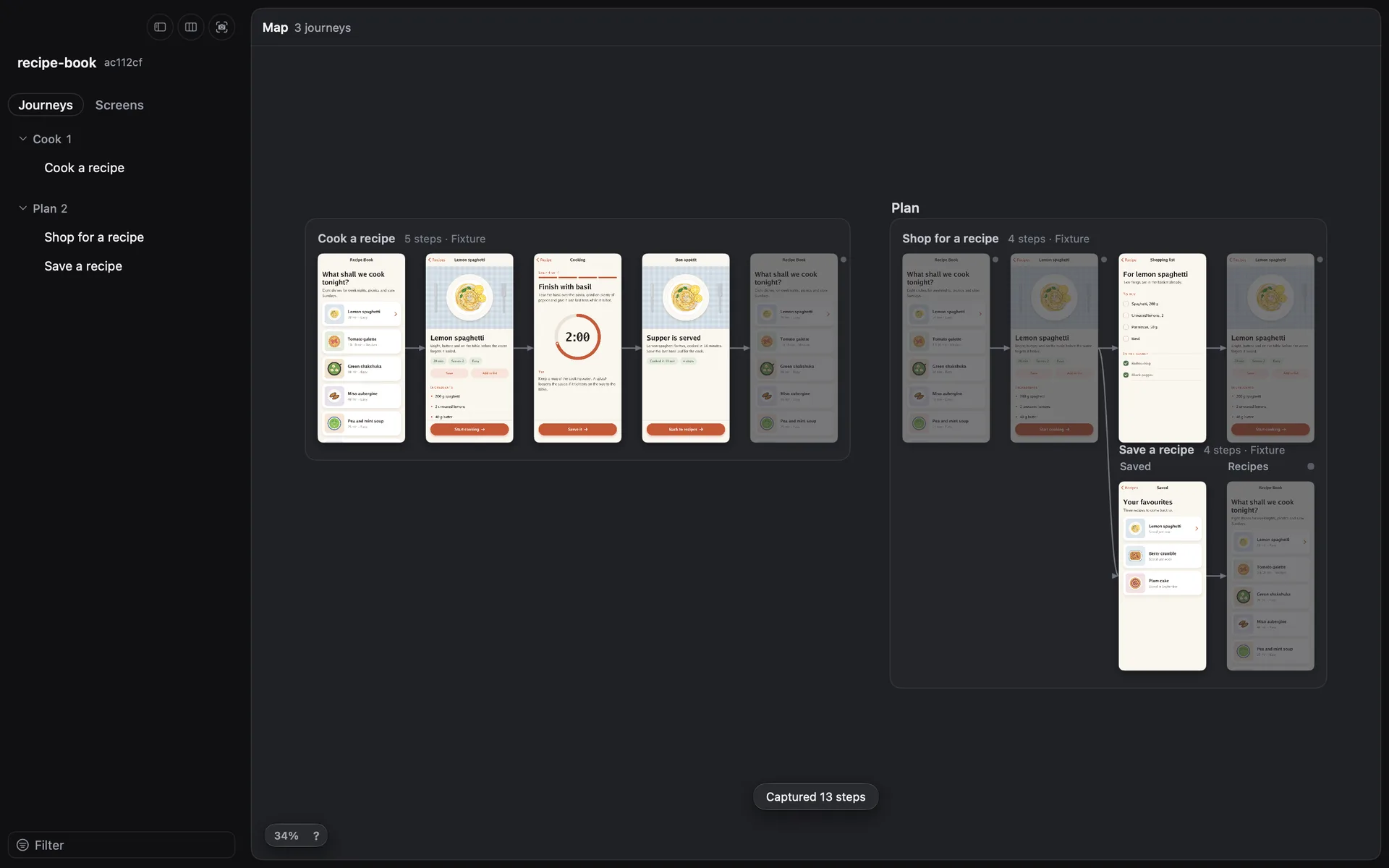
A big map opens on its named journeys; the rest is one click deeper.
- Click a journey under Journeys in the sidebar to fly there.
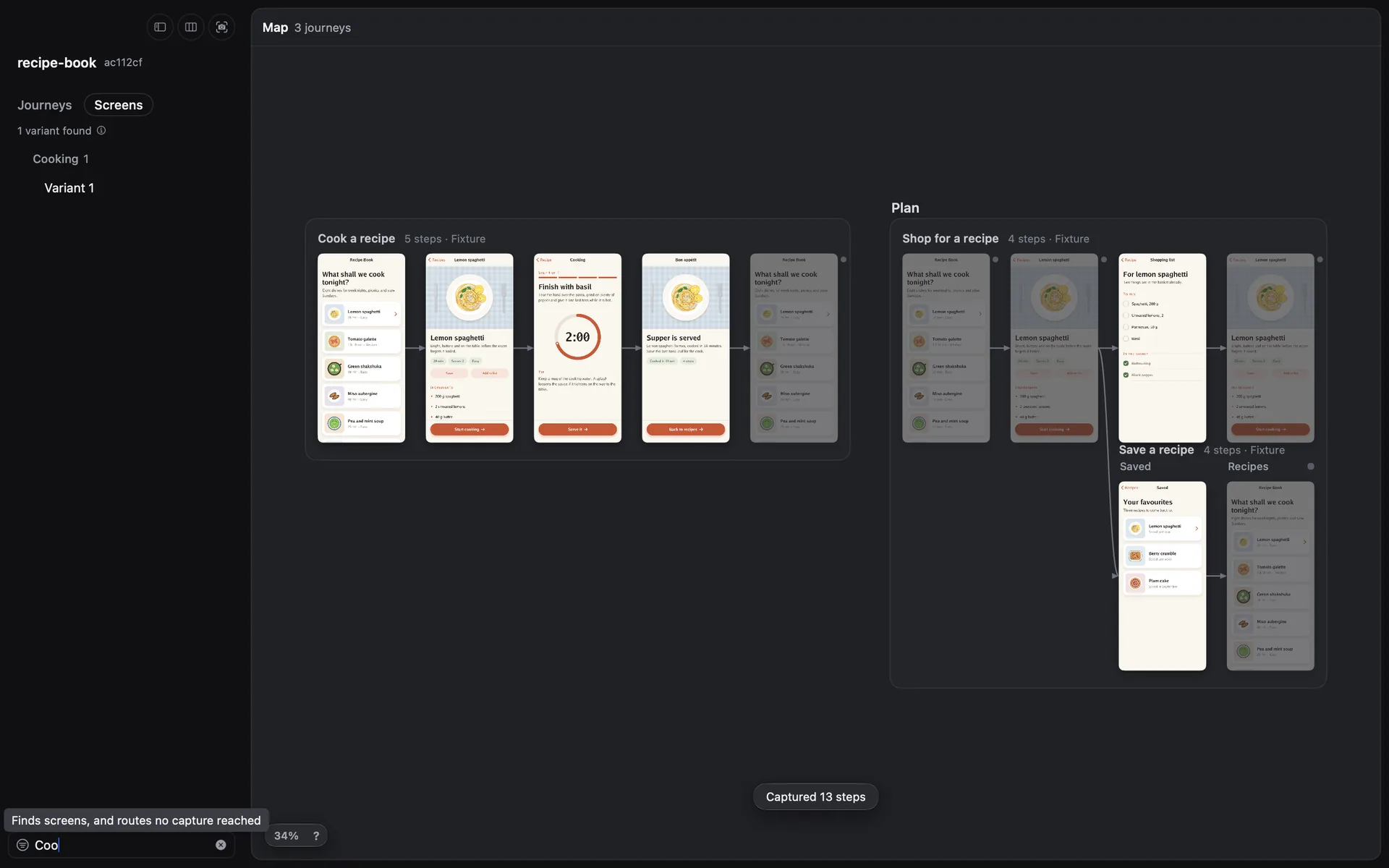
- Switch to Screens for every screen by name, and type in the filter to narrow the list.
- On the map, ← and → step along the journey, and ⇧1 fits everything.
Wrong turn? The list is empty? Clear the filter at the foot of the sidebar.
find, journey, screen, sidebar, filter, search, navigate, fly to, zoom to fit, list of screens
Where a capture tapped a control, that control is clickable, with no device running.
- Move the pointer onto a control. It lights, and the tip says the action and where it goes.
- Click it. The screen shows the state the tap led to, in place.
- A control that went several ways asks which.
- Back One Tap goes back a state, and Reset Screen to the captured one.
Wrong turn? Nothing lights? Controls light only where they are big enough to hit; zoom in.
click through, prototype, play, tap a control, back one tap, reset screen, interactive, hover
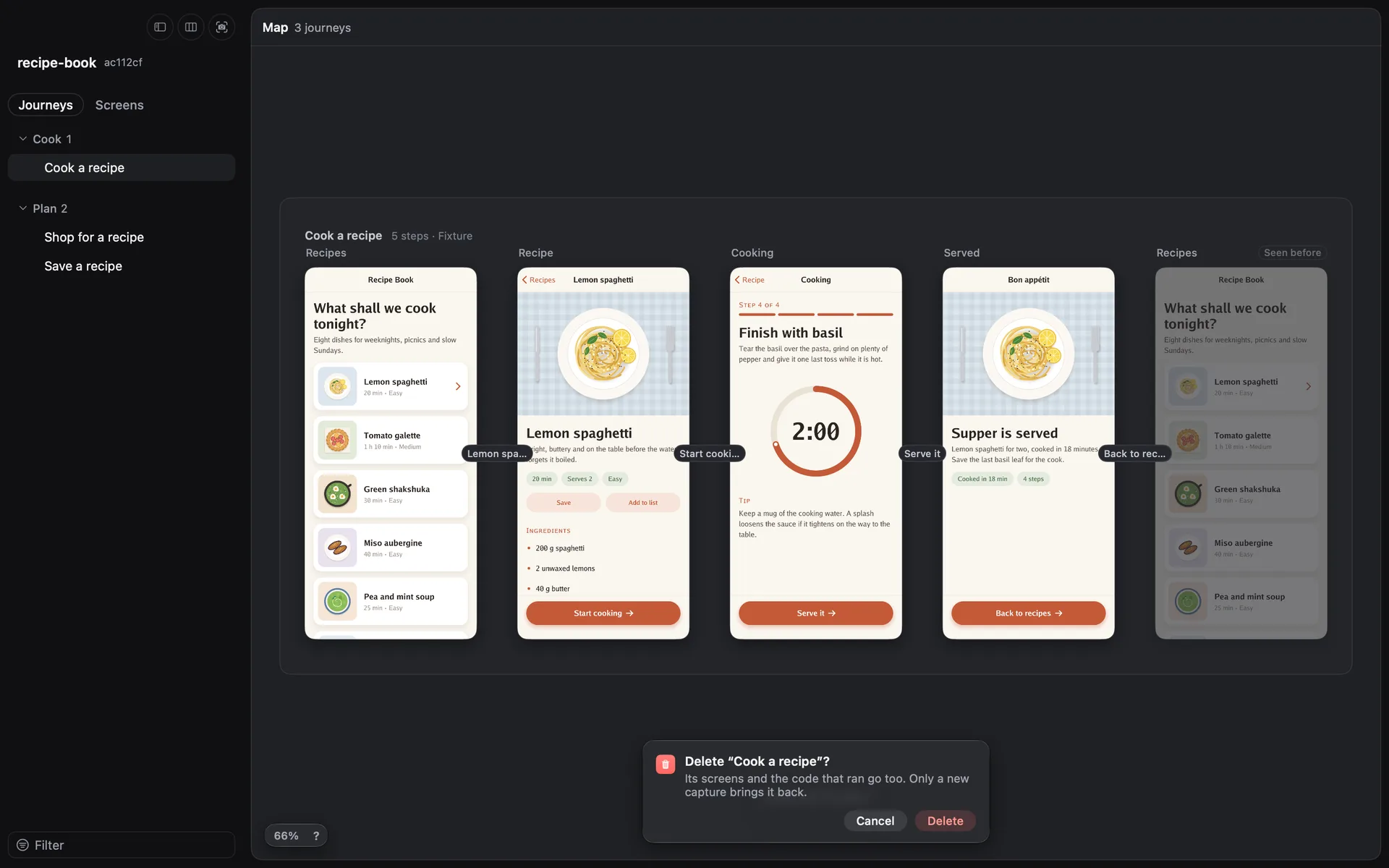
A journey no longer in the app stays on the map until you delete it.
- Click the journey in the sidebar. ⌘-click or ⇧-click adds more, or the heads of whole sections.
- Press ⌘⌫, or right-click a row for Delete Journey….
- Press Delete when PitaFix asks.
Wrong turn? Deleted the wrong one? Only a new capture brings it back. Comments on its screens stay.
delete journey, remove, old capture, stale journeys, clean up the map, bin
How it works
When do arrows and proof labels show their words?
When the map is zoomed in enough to read them.
- Arrows show their labels from about 40% zoom. A long label is cut; select a screen to read the labels of its arrows whole, or rest the pointer on one.
- At a distance a screen's proof is a coloured dot. Zoom in for its words, or rest the pointer on the dot.
labels, arrows, zoom, cut off, truncated, dot, tooltip
What does the sidebar say about age?
When each part of the map was last captured.
- The line over the journeys says when they were last captured.
- A section's head says it too when its journeys are older than that.
- The Screens tab also lists the routes no capture has reached yet, under Not reached, with the core's reason for each.
last captured, old, age, stale, not reached, routes, unreached
Does clicking through change anything?
No. Nothing is recorded.
- The map, its arrows, the selection and the camera stay as they were.
- Each screen plays on its own, and nothing is kept when the project closes.
- Drag still moves the screen; ⌘-click, ⌥-click and ⇧-click keep their own meaning.
click through, saved, recorded, state, reset, safe